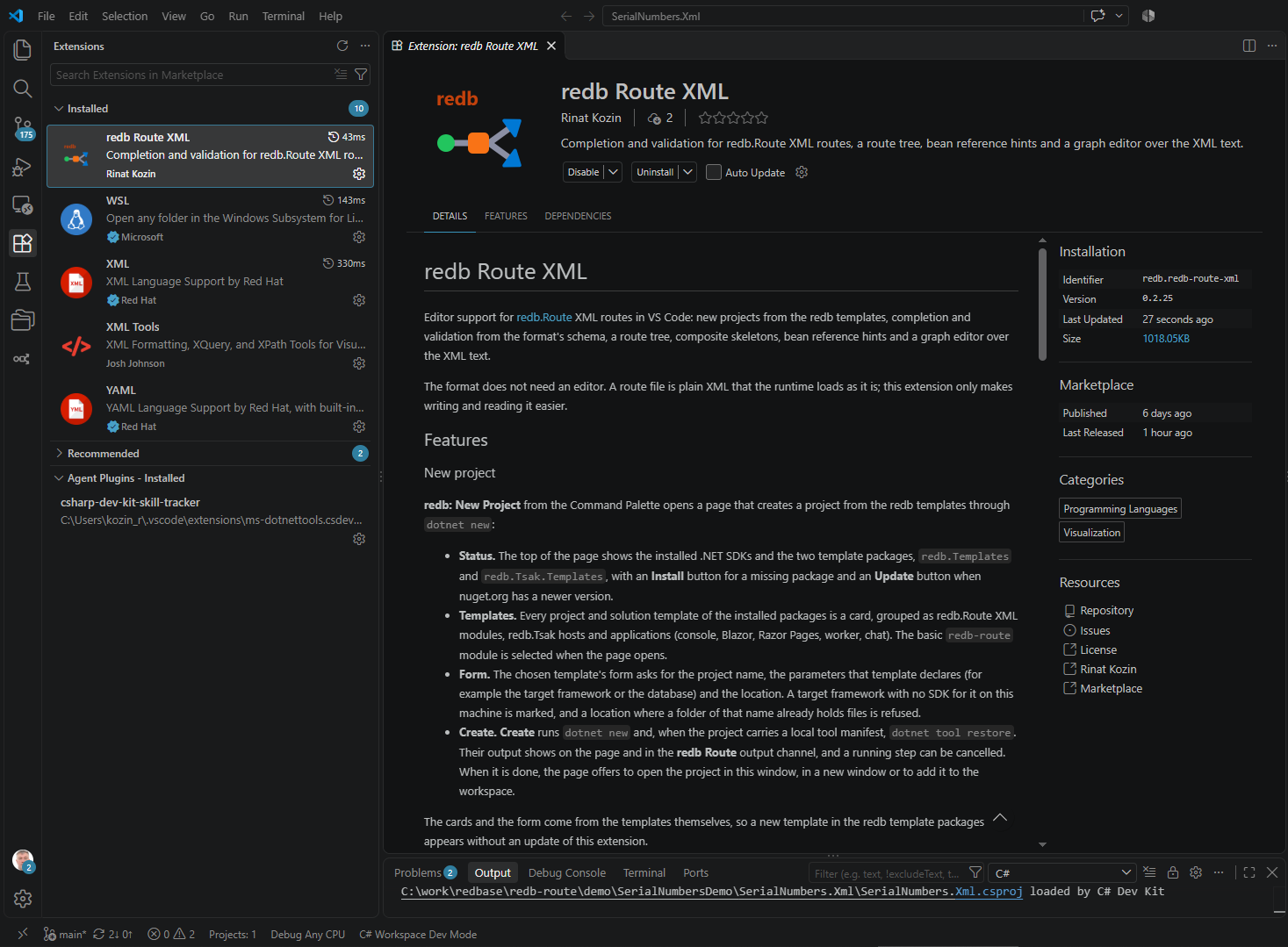
redb extension for VS Code
redb Route XML: a new project from the redb templates, schema completion and validation for redb.Route XML routes, and an editable route graph. The format does not need an editor: a route file is plain XML that the runtime loads as it is; the extension only makes it easier to write and read.
code --install-extension redb.redb-route-xml
1 New project
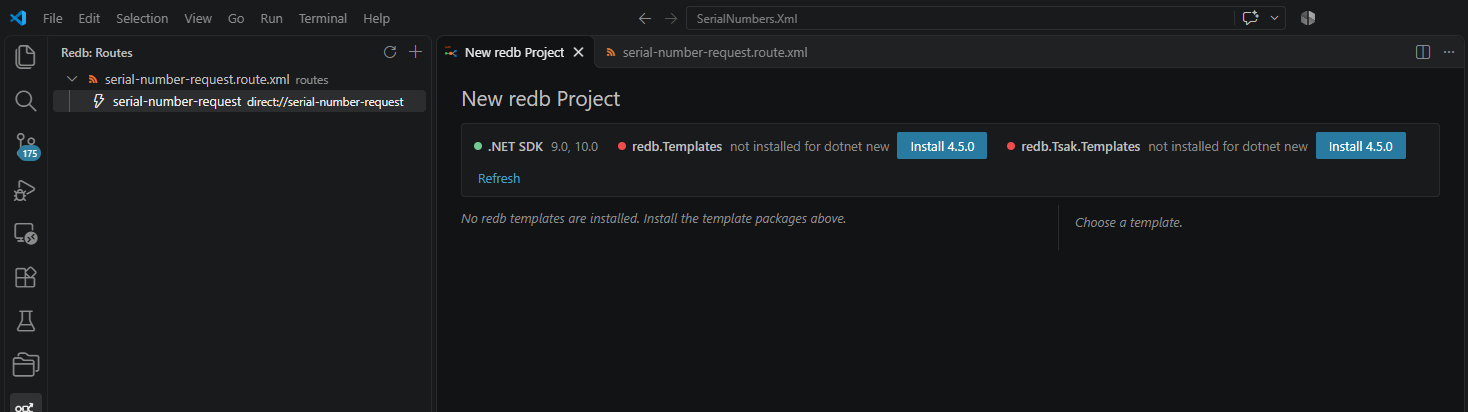
The redb: New Project command in the Command Palette, or the button in the redb view, opens a page that creates a project from the redb templates through dotnet new.
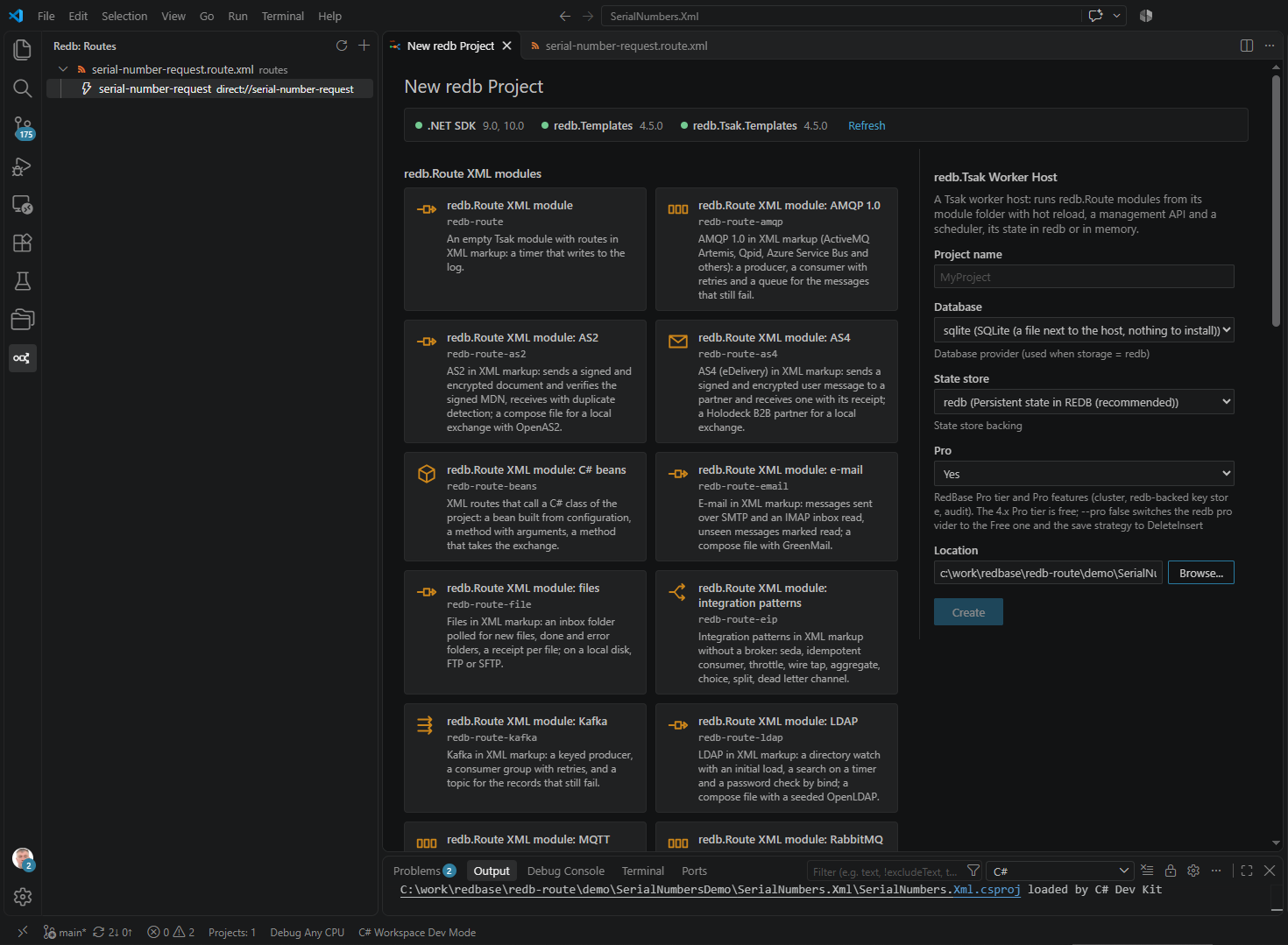
- Status. The top of the page shows the installed .NET SDKs and both template packages,
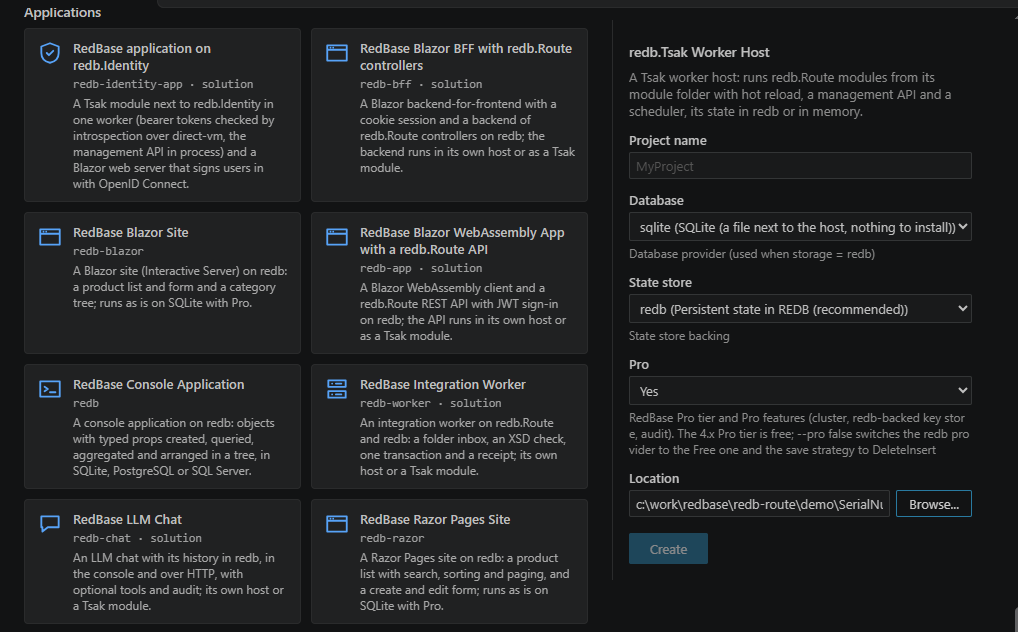
redb.Templatesandredb.Tsak.Templates, with an Install button for a missing package and an Update button when nuget.org has a newer version. - Templates. Every template of the installed packages is a card in one of three groups: redb.Route XML modules, redb.Tsak hosts and applications.
- Form. The chosen template's form is built from the template's own parameters: project name, database, target framework and others. A framework with no SDK on this machine is marked, and a location where a folder of that name already holds files is refused.
- Create. Create runs
dotnet newand, when the project carries a local tool manifest,dotnet tool restore. The output shows on the page and in the redb Route output channel, and a running step can be cancelled. When it is done, the project opens in this window, in a new window or is added to the workspace.
The cards and the form come from the templates themselves, so a new template in the redb packages appears without an update of the extension.
The same templates without an editor: Quick Start.
2 XML routes in the editor
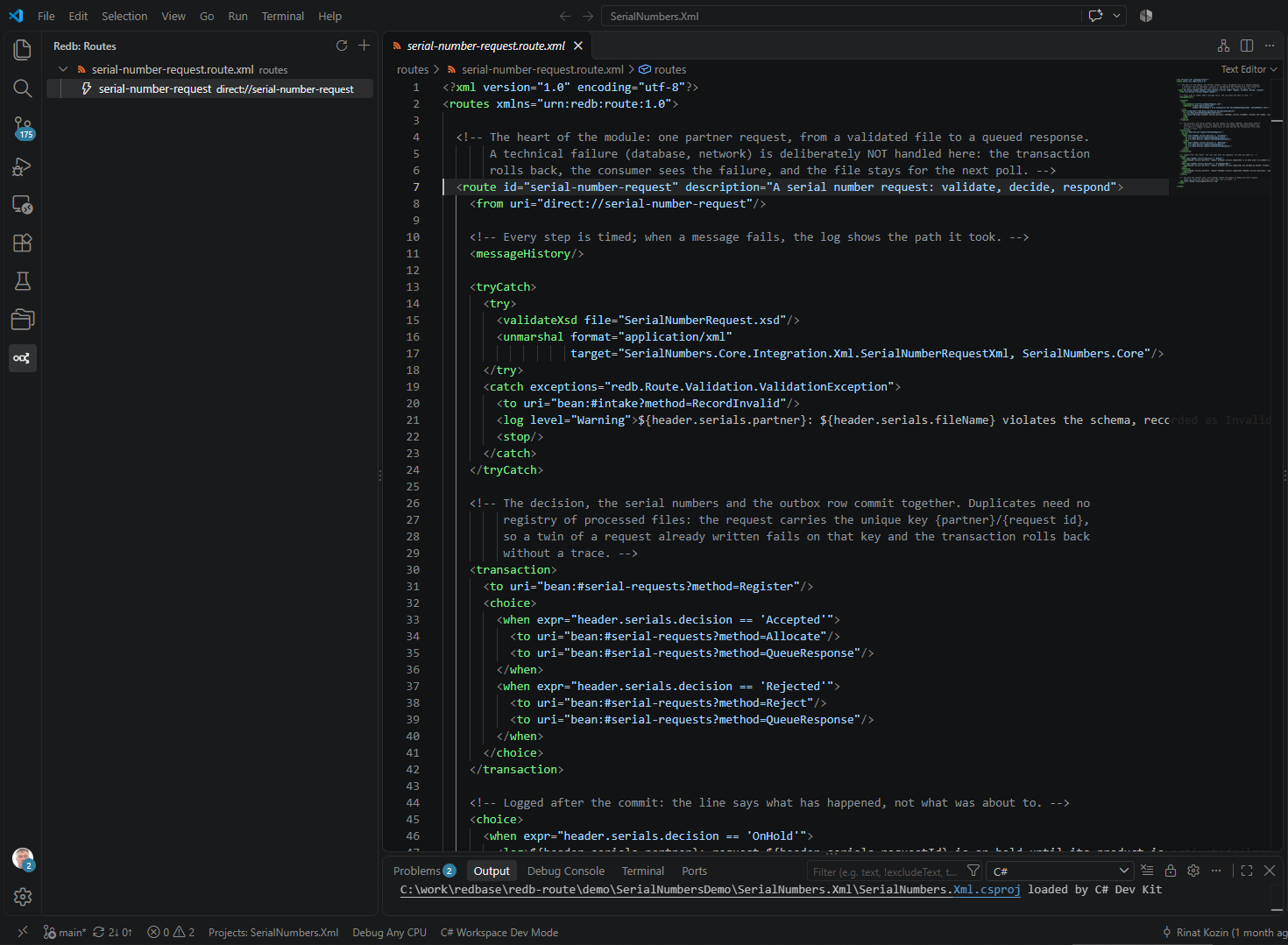
- Schema completion and validation. Every element and every connector's typed options, aware of consumer versus producer. The schema is bound by the namespace
urn:redb:route:1.0, not by the file name, and is regenerated with each release. - Skeletons. Completion inserts composite skeletons for
<route>,<choice>and<tryCatch>; the list depends on the place in the document, so there is no<choice>under<routes>. - Bean references. Typing
#in a value lists the document's<bean name>declarations. - Routes view. The redb button in the Activity Bar opens a tree of
*.route.xmland*.redb-route.xmlfiles: the route id and itsfromendpoint; a click opens the file at the line.
3 Route graph
The same file as a graph: Open With → redb Route Graph, or the graph button in the editor title. The graph is editable, and changes go into the XML text.
- Insert a step from the palette at +, delete, drag to reorder or to move into and out of containers.
- A properties panel: the URI is split into scheme, path and options with lists of allowed values; sensitive options are masked.
- Left to right or top to bottom layout, folding, zoom.
{{key}}placeholders show the value fromcontext.sample.jsonandconfig/*.json, resolved the way Tsak resolves them.
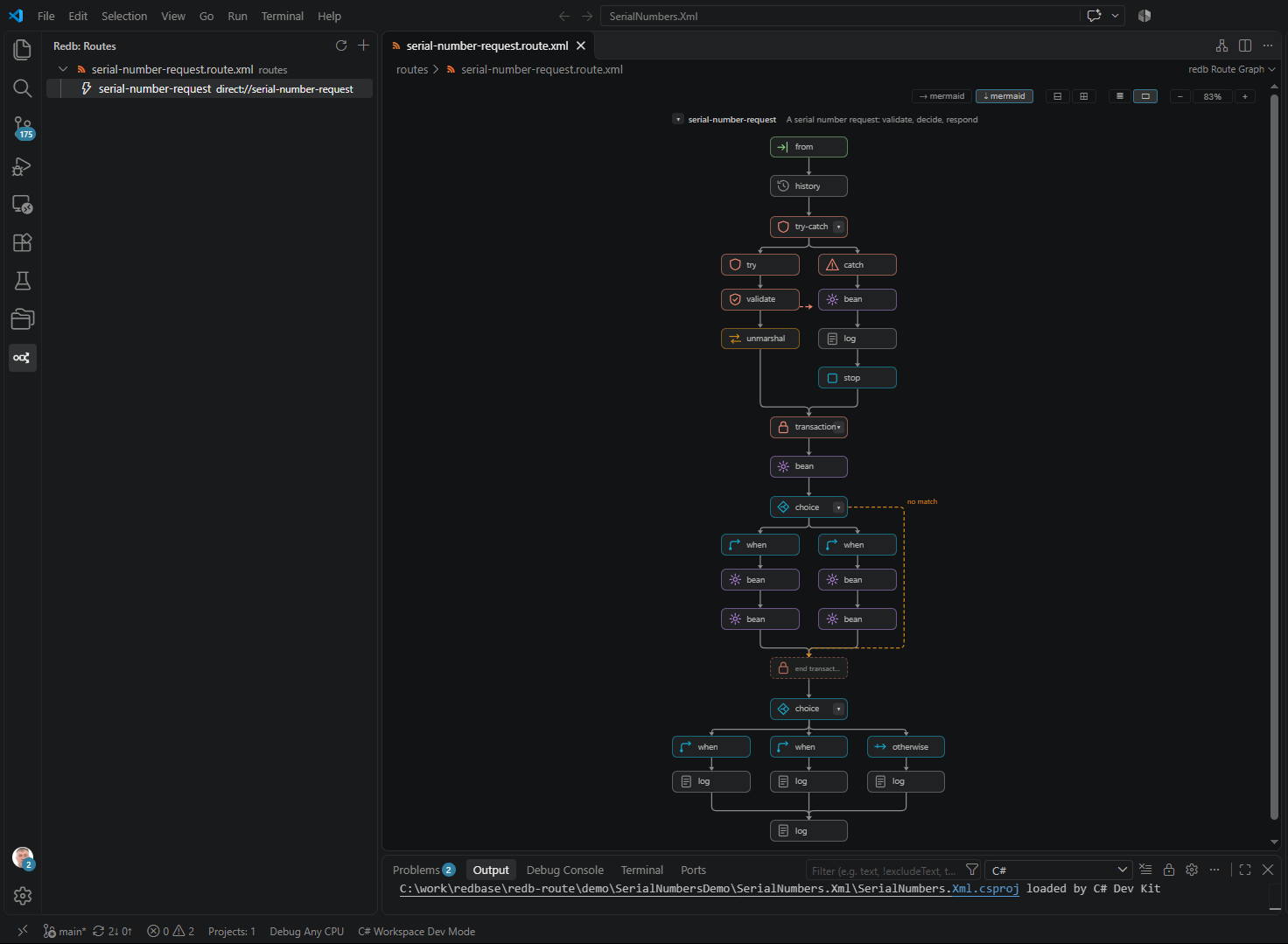
redb Route: Show Mermaid Diagram command. It needs the .NET tool dotnet tool install -g redb.Route.Xml.CodeGen.
4 Install and requirements
| Marketplace | redb.redb-route-xml, or from the command line: code --install-extension redb.redb-route-xml |
| Without the Marketplace | Every redb.Route release carries the .vsix; install it with Extensions → … → Install from VSIX |
| VS Code | 1.85 or newer |
| Red Hat XML | A declared dependency: VS Code installs it on its own |
| .NET SDK | Needed only for a new project and the Mermaid diagram. The new project page shows which SDKs are installed |
| redb templates | Not installed automatically: the new project page offers them with one click |